



 Stripe
Let Claude create invoices and payment links in Stripe
Sending a one-off invoice means logging in, finding the customer and filling the same form again.
4 stepsModerate
Claude DesktopClaude CodeStripeGoogle Workspace
How it connects
Your AI reaches your apps through small connectors called MCP servers.
Your AI
Claude DesktopClaude Code
Connectors
StripeGoogle Workspace
Your apps
StripeGmail
This setup is for freelancers and small businesses that bill clients through Stripe and send one-off invoices by hand. Claude uses Stripe's MCP server to find or create the customer, draft the invoice or payment link, and then emails it through Google Workspace after you check it. You end up asking for an invoice in one sentence instead of filling in the same dashboard form.
Set it up
4 steps. Open one for the details.
1Create a restricted Stripe key
In the Stripe Dashboard, open Developers > API keys and create a restricted key. Give it write access to Customers, Invoices, Products, Prices and Payment Links, and leave everything else at None. Create the key in test mode first so you can try the flow without real charges.
Tip: Name the key after the tool, such as claude-mcp, so you can find and revoke it later.
2Add the Stripe MCP server
Add Stripe's MCP server to Claude Desktop or Claude Code, either the remote server at mcp.stripe.com or the local @stripe/mcp package with your restricted key. Restart Claude Desktop after editing its config. Ask Claude to list your last five customers to check the connection.
Tip: If a tool call fails with a permission error, add that resource to the restricted key rather than switching to the secret key.
3Draft, then send
Ask Claude to create a draft invoice with the customer, line items, amounts, currency and due date. Open the draft in the Stripe Dashboard or ask Claude to read it back, and check the totals and tax. Only then tell Claude to finalise it.
Tip: Give amounts with the currency every time to avoid a wrong default.
4Send it
Connect a Google Workspace MCP server and sign in with your billing email account. Ask Claude to write a short email with the hosted invoice link and save it as a draft. Review the recipient and link, then send it yourself.
Tip: Keep a template note in the prompt so every invoice email reads the same.
Then just ask
Things to say once it's connected. Click one to copy it.
Ask Claude Desktop…Claude Desktop
Good to know
What you need, what it won't do, and how to keep it safe.
What you need
- A Stripe account with permission to create restricted API keys
- Claude Desktop or Claude Code
- A Google Workspace or Gmail account for sending invoice emails
- Node.js if you run the Stripe MCP server locally
Limits
- The MCP server exposes a subset of the Stripe API, so complex billing such as metered subscriptions may still need the Dashboard.
- Claude does not calculate tax rules for you; rely on Stripe Tax or your accountant for that.
- Finalised invoices cannot be edited, only voided, so review drafts carefully.
Keep it safe
- Use a restricted key scoped to invoices and payment links.
- Test in Stripe's test mode first.
Questions
Straight answers before you start
Is it safe to give Claude access to Stripe?
Use a restricted key with only the resources this workflow needs, never your full secret key. Keep approvals on for any tool that creates or finalises objects, and start in test mode.
Does this cost anything extra?
Stripe's MCP server is free to use; you pay Stripe's normal fees on invoices and payments. You need a Claude plan that supports MCP servers in Claude Desktop or Claude Code.
Can Claude issue refunds?
Only if you grant refund permissions on the key. For this setup, leave refunds out and handle them in the Dashboard.
What if Claude picks the wrong customer?
That is why the workflow stops at a draft. Check the customer name and email on the draft before you finalise, and void or delete the draft if it is wrong.
Tools in this setup
The products involved
Stripe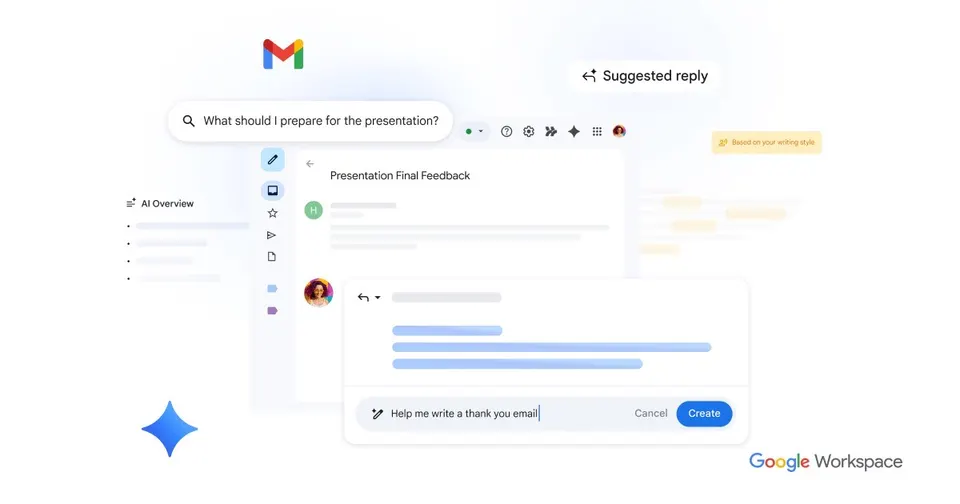
Gmail is Google's email service, free for personal use and available on your own domain through Google Workspace. Its spam filtering keeps junk out of your inbox, and search finds old messages fast. Gemini AI features help you draft replies and summarise long threads. It connects to Google Calendar, which suits anyone already using Google's apps.
Free planTry