
Asana vs monday.com: managing team projects
Pick Asana if your projects hinge on who owns which task and when it is due: every assignment has one owner and one date, and the whole team reads the same plan. Pick monday.com if you want to see everything on colour-coded boards and let automations move items and ping people for you. monday.com is also the easier one to set up, and it can run a sales pipeline or a request queue on the same kind of board. Put your real project into each at no cost before paying.

Which one to pick

Several people share deadlines on one project and you need every task to have a clear owner and due date, so status meetings get shorter.

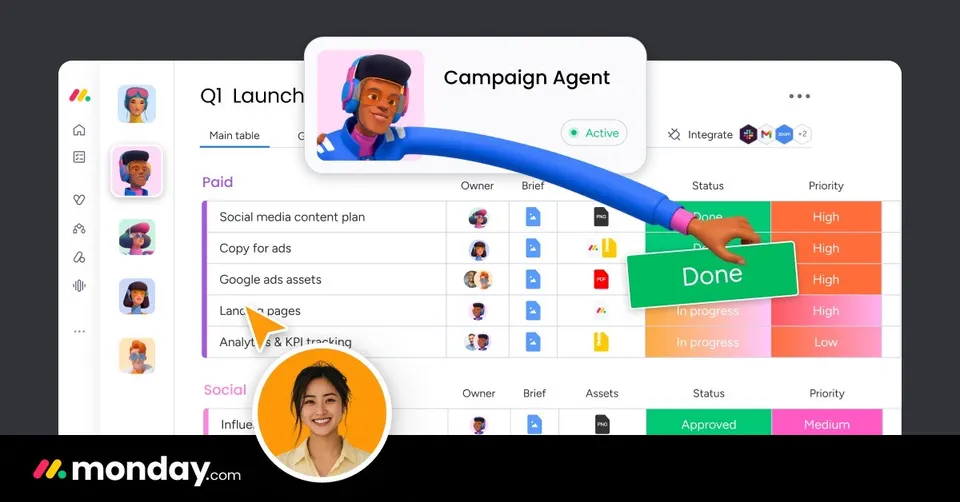
You want projects, incoming requests and maybe a sales pipeline on colour-coded boards, with automations that update statuses and notify people for you.
Side by side
Questions
Is Asana or monday.com easier to set up?
monday.com is the quicker start in our assessment: its boards look like a colourful spreadsheet and most teams get going in an afternoon. Asana asks a bit more thought up front about projects, sections and owners. That structure pays off once many people work on the same deadlines. If nobody on your team wants to configure anything, start with monday.com.
Do both have a free plan?
Yes, both offer a free plan for small teams. It is enough to run one real project and see whether your team keeps using it. We do not quote paid prices here because they change by seat count and plan. Check each vendor's pricing page once you know how many people will join.
Can monday.com replace a CRM?
monday.com can run a sales pipeline on the same boards you use for projects, and it lists CRM among its uses. For a small team tracking a few dozen deals, that can be enough. Asana is built for work and projects, not for sales contacts. If sales is your main job, a dedicated CRM still gives you more.
Which one automates more?
monday.com leans harder on automation: rules move items between columns, notify owners and change statuses without anyone clicking. Asana has automation too, but its strength is clear ownership and deadlines. Teams with many repeat steps, like approvals or request intake, save more time on monday.com. Teams whose pain is unclear responsibility gain more from Asana.
Can I move from one to the other later?
Yes, both let you export your projects and tasks, and both import spreadsheets. Moving is easier at the end of a project than halfway through one. Rebuild your automations and templates by hand, since those do not transfer. Run the old and new tool side by side for a week before switching everyone.